Summer Robotics Camp 2025


- Description
- Curriculum
- Reviews
- Grade
Video source is missing or invalid.
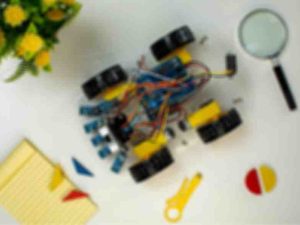
The Summer Robotics Camp 2025 (Online Edition) is a 3-week instructor-guided program designed for students aged 10 to 17 who want to explore robotics and embedded systems from the comfort of their homes.
Delivered through the STEMITE e-Learning Platform, this program provides students with a physical Arduino-based robotics kit, access to daily video lessons, hands-on activities, coding challenges, and live mentorship. Students will progressively build their own functional robot, gain experience with real-world sensors, and learn to code using Arduino C/C++ — all without simulations.
The camp emphasizes creativity, logical reasoning, teamwork (virtually), and project-based learning. Participants will complete daily build-and-code tasks, submit media assignments, and showcase their final robot project during a Virtual Demo Day.
-
1
 Welcome
Learning Objectives
By the end of Day 1, you will:
-
Understand how the camp is structured and what you'll build.
-
Identify all components in your robotics kit.
-
Learn the parts and functions of the Arduino Uno.
-
Upload your first program ("Blink") using the Arduino IDE.
-
-
2
 Orientation & Arduino Basics
Video Lesson Summary
Title: “Meet Your Robot Brain – Getting Started with Arduino”
Scene 1:
-
Welcome to the camp
-
Introduction to robotics and what Arduino can do
Scene 2:
-
Walkthrough of every item in the kit
-
Tips for keeping your workspace safe and organized
Scene 3:
-
Introduction to the Arduino Uno
-
Digital Pins
-
Analog Pins
-
Power Pins
-
USB Port
-
Reset Button
-
Scene 4:
-
Download and install the Arduino IDE
-
Connect Arduino via USB
-
Upload your first sketch: the “Blink” program
-
-
3
Hands-On Activity: Blink It!
-
4
Reading: Key Arduino Concepts
-
5
 Assignment: Day 1 Submission
 -
6
 Quiz: Day 1 Check-In
-
7
Concept Overview: Lighting Up & Making Noise
Learning Objectives
By the end of today, you will be able to:
-
Wire and control external LEDs using digital pins on the Arduino.
-
Understand how buzzers work and how to make them beep with code.
-
Apply
digitalWrite()anddelay()to control multiple components. -
Build and test a basic light + sound alert system.
-
-
8
Hands-On Activity: LED & Buzzer Alert
-
9
Blinking Lights & Beeps
Scene 1: (0:00–1:00)
“Welcome to Day 2! Today we’re building your first light and sound circuit using an LED and buzzer.”Scene 2: (1:00–2:30)
“Let’s wire up the red LED with a 220Ω resistor and connect it to pin 7. Remember, longer leg is the positive one.”Scene 3: (2:30–4:30)
“Now, let’s add the buzzer to pin 8. Plug in both legs carefully, and double-check GND connections.”Scene 4: (4:30–6:00)
“Let’s upload our sketch! ThedigitalWrite()command powers both components, anddelay()controls the timing.”Scene 5: (6:00–7:00)
“Try changing the delay or using two different pins for LED and buzzer with separate rhythms!”Scene 6: (7:00–8:00)
“Challenge: Can you make the LED flash twice as fast as the buzzer? Try it and submit your version!” -
10
Assignment Submission: Build & Reflect
-
11
Quiz: Day 2 Check-In


| Item | Details |
|---|---|
| Camp Name | Summer Robotics Camp 2025 (Online Edition) |
| Dates | 11th – 30th August 2025 |
| Age Group | 10–17 years (Junior & Senior Tracks) |
| Delivery Mode | Online via STEMITE e-Learning Platform |
| Materials Provided | Full Arduino Robotics Kit (shipped) |
| Tools Required | PC or Laptop with USB port |
| Learning Style | Video-based + Hands-on physical projects |
| Live Check-ins | 2x per week via Zoom or Google Meet |
| Access | www.stemite.com |
| Support | WhatsApp & Email Assistance |
| Certificate | Yes, upon successful completion |
-
Physical robotics kit (shipped before start date)
-
Arduino IDE (downloadable, open source)
-
Daily pre-recorded lessons and PDF guides
-
Instructor-reviewed assignments
-
Weekly live check-ins on Zoom/Meet
-
Junior Track: Ages 10–13
-
Senior Track: Ages 14–17
-
Beginners welcome! No prior coding or robotics experience needed.